Brand Voice
Your voice, in every article.
Describe your brand once — who you are, how you sound, what you never say — and every article Zeni writes for you sounds like it.
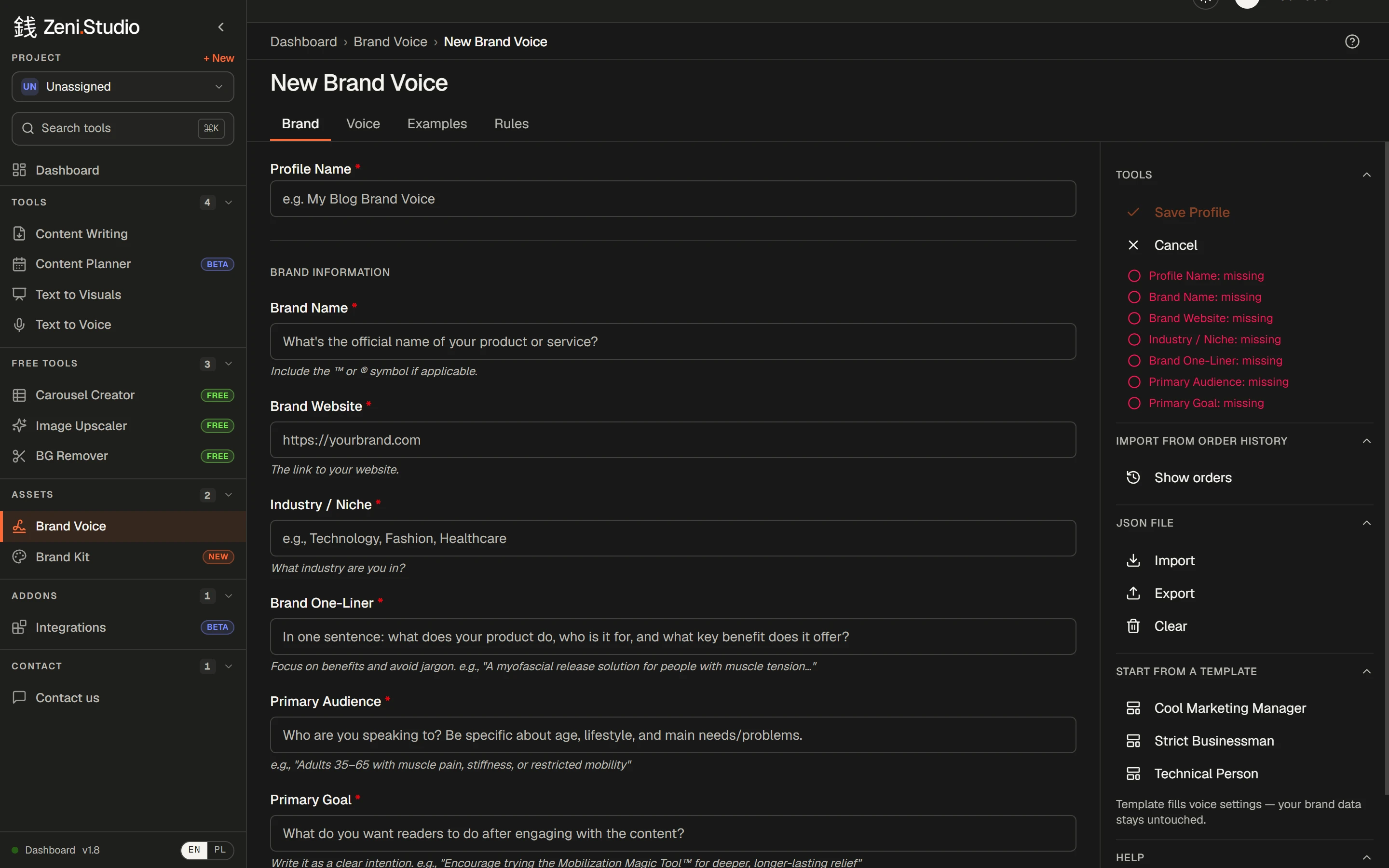
What you get
- /01
A real brand profile
Name, website, industry, one-liner, audience, goal, products and services, your About page.
- /02
Tone you can dial in
Five sliders — formal to casual, authoritative to friendly, serious to playful, concise to detailed, technical to simple — plus 3–5 voice pillars and a reading level.
- /03
Language habits
Point of view, jargon, approved terms, preferred words — and the phrases you never want to see.
- /04
Learn by contrast
Up to five good and five bad examples, so Zeni knows what to aim for and what to avoid.
- /05
Rules and red lines
How to make claims, which topics are sensitive, notes on structure.
- /06
A fast start
Three ready templates, JSON import and export, or import from your earlier orders.
How it works
- 1Fill in your brand: who you are and who you write for.
- 2Set the voice: sliders, pillars, language habits.
- 3Add good and bad examples.
- 4Write down your rules and red lines.
- 5Save, then pick the voice for any order.
Frequently asked questions
How long does a brand voice take to set up?
About 15 minutes for the essentials. Start from a template or import a JSON file and it's quicker still.
Can I have more than one brand voice?
Yes — create as many profiles as you need and pick one per order. Handy for agencies and freelancers with several clients.
Do I have to fill in every field?
No. The brand basics are required; the rest — examples, rules, language habits — sharpens the result the more you add.
Rankings where this feature counts
- The 6 best AI blog writers for e-commerce in 2026Links to your products, on-brand images, your voice and publishing to your store — six tools compared.→
- The 6 best AI writers for agencies and freelancers in 2026A voice per client, 50 articles per order, client sign-off without accounts — six tools compared.→
- The 6 best AI blog writers for SaaS in 2026Links into your product and docs, depth on crowded topics, diagrams and social graphics — six tools compared.→
More features
- Content WritingUp to 50 articles in one order — each researched, structured and written in your voice.→
- Brand Kit & imagesArticles come illustrated — in your colours, in the image types you allow.→
- Internal linkingYour sitemap in, relevant links to your own pages written into every article.→
- Text to Visuals & Carousel CreatorSlides and social graphics from any article — designed, captioned and ready to post.→
- Publishing & exportStraight to WordPress or Shoper (both in beta), or out to Word, HTML and Google Drive.→
- Client approvalA review link for your client: approve or request changes, no account needed.→