// feature
Client approval
Your client approves — no account needed.
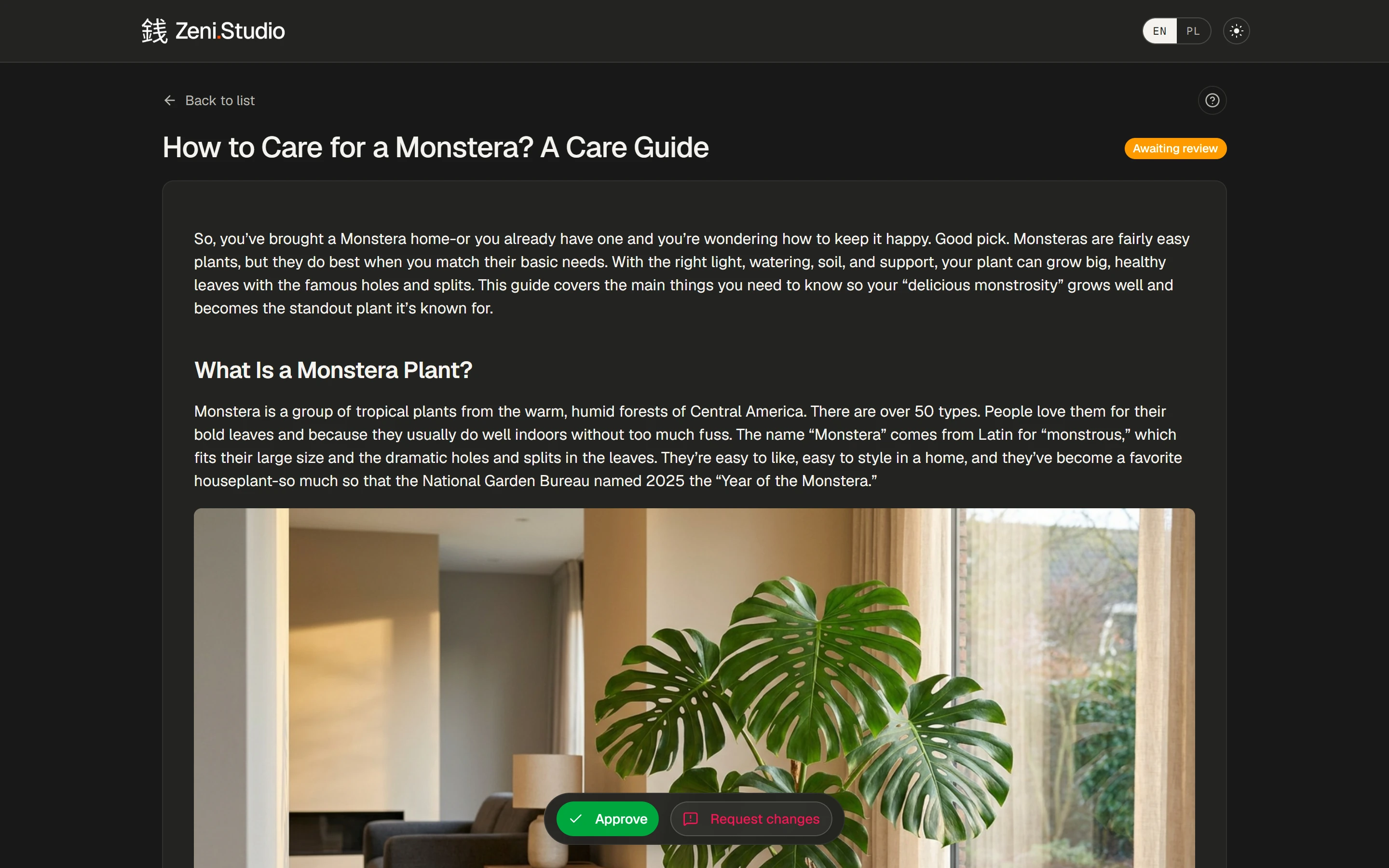
Share a review link and your client reads the article, approves it or asks for changes. You see every decision, right next to the article.
Try it free→3 free content credits · no card required
What you get
- /01
One link, no sign-up
Share a review link for a project — your client opens it in the browser, no account.
- /02
Approve or request changes
Two clear buttons at the bottom of every article.
- /03
Statuses you can filter
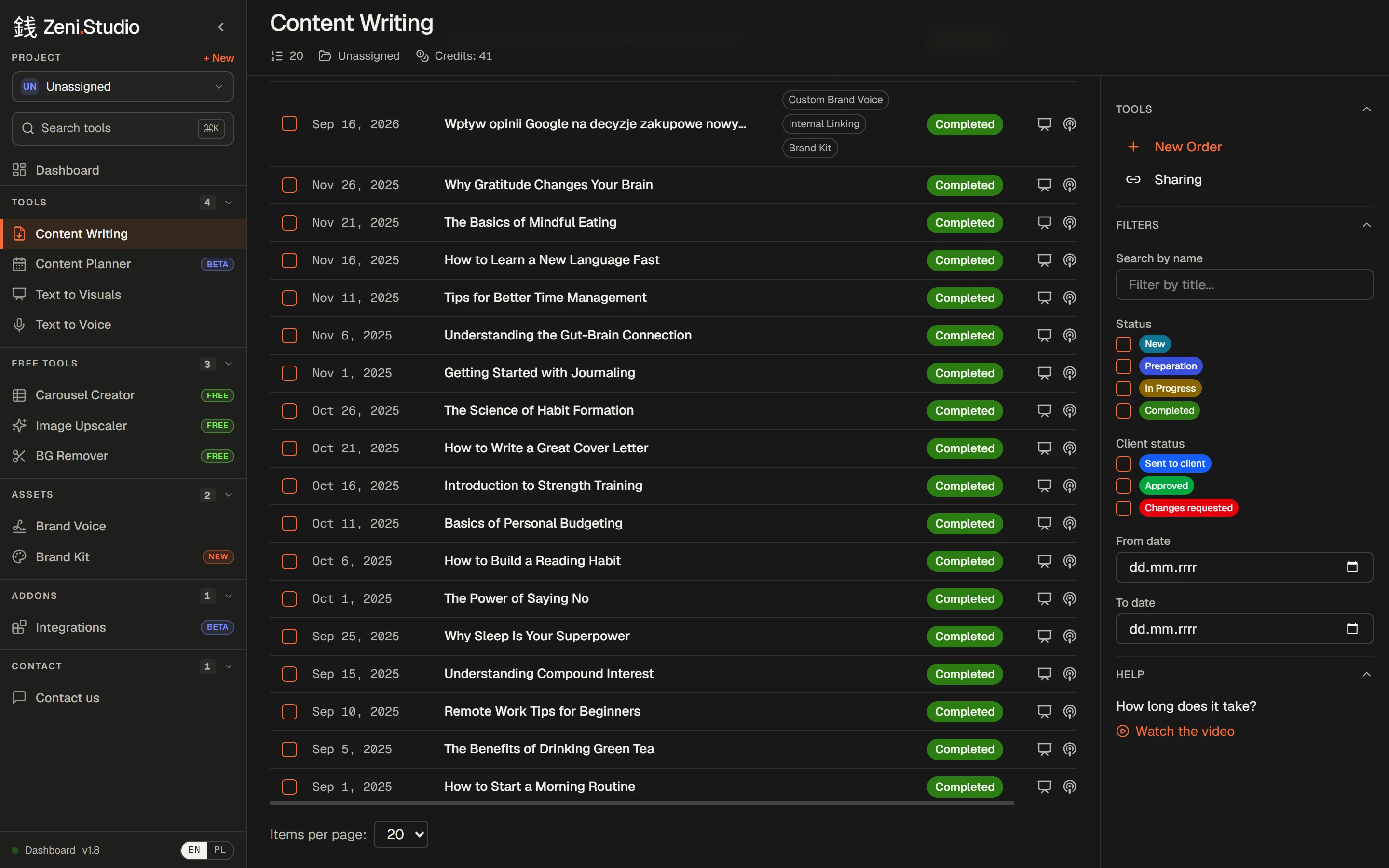
Sent to client, Approved, Changes requested — find what's waiting at a glance.
- /04
A record of decisions
Each decision keeps a copy of the version your client reviewed.
- /05
Made for client work
Agencies and freelancers get sign-off without email ping-pong.
How it works
- 1Finish an article — or a whole order.
- 2Share it for approval and send the link to your client.
- 3Your client approves or requests changes.
- 4Edit if needed, then publish.
Frequently asked questions
Does my client need a Zeni.Studio account?
No. The review link opens in any browser — your client reads, approves or requests changes.
Can I see what my client approved?
Yes. Every decision is recorded together with a copy of the version that was reviewed.
Rankings where this feature counts
- The 6 best AI writers for agencies and freelancers in 2026A voice per client, 50 articles per order, client sign-off without accounts — six tools compared.→
- The 5 best AI blog writers for local businesses in 2026A local angle, links to your service pages, a voice clients trust and publishing to WordPress — five tools compared.→
More features
- Content WritingUp to 50 articles in one order — each researched, structured and written in your voice.→
- Brand VoiceTone, audience, banned phrases and examples — set once, applied to every article.→
- Brand Kit & imagesArticles come illustrated — in your colours, in the image types you allow.→
- Internal linkingYour sitemap in, relevant links to your own pages written into every article.→
- Text to Visuals & Carousel CreatorSlides and social graphics from any article — designed, captioned and ready to post.→
- Publishing & exportStraight to WordPress or Shoper (both in beta), or out to Word, HTML and Google Drive.→