// feature
Internal linking
Links to your pages, written in.
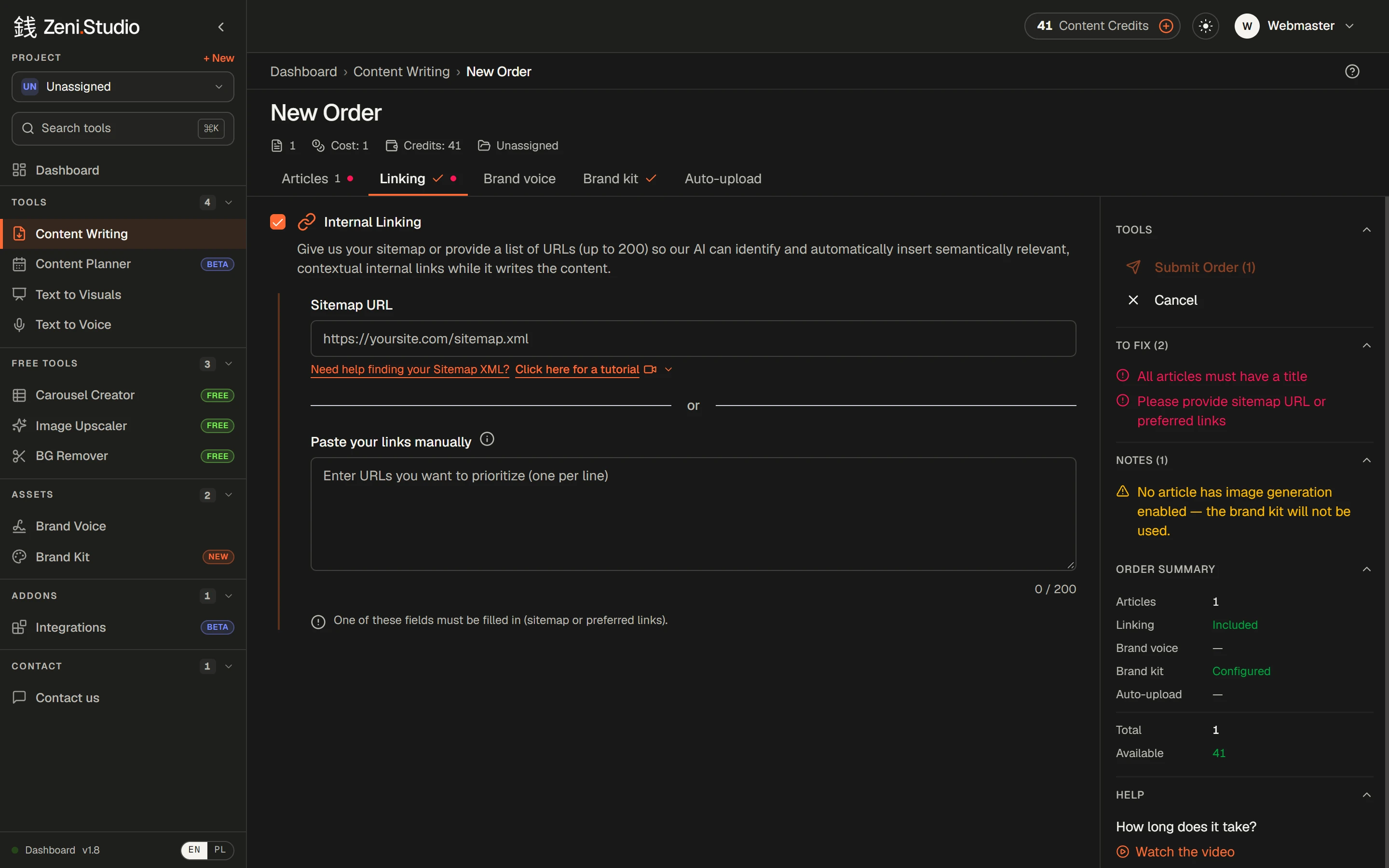
Give Zeni your sitemap — or a list of up to 200 pages — and it weaves relevant, contextual internal links into each article while it writes.
Try it free→3 free content credits · no card required
What you get
- /01
Sitemap or a list
Point Zeni at your sitemap.xml, or paste up to 200 URLs you want to prioritise.
- /02
Written in, not bolted on
Links go where they fit the text — not in a list at the end.
- /03
Your priorities win
A pasted list takes precedence over the sitemap, so you decide which pages get the links.
- /04
Set once per order
Every article in the order links to your site.
How it works
- 1Open the Linking tab in a new order.
- 2Paste your sitemap URL — or your priority pages.
- 3Submit. Links appear inside the finished articles.
Frequently asked questions
Where do I find my sitemap?
Usually at yourdomain.com/sitemap.xml; WordPress SEO plugins often use sitemap_index.xml. There's a short video tutorial in the app.
Can I choose which pages get linked?
Yes — instead of a sitemap, paste up to 200 URLs you want to prioritise.
Rankings where this feature counts
- The 6 best AI blog writers for e-commerce in 2026Links to your products, on-brand images, your voice and publishing to your store — six tools compared.→
- The 6 best AI writers for agencies and freelancers in 2026A voice per client, 50 articles per order, client sign-off without accounts — six tools compared.→
- The 6 best AI blog writers for SaaS in 2026Links into your product and docs, depth on crowded topics, diagrams and social graphics — six tools compared.→
More features
- Content WritingUp to 50 articles in one order — each researched, structured and written in your voice.→
- Brand VoiceTone, audience, banned phrases and examples — set once, applied to every article.→
- Brand Kit & imagesArticles come illustrated — in your colours, in the image types you allow.→
- Text to Visuals & Carousel CreatorSlides and social graphics from any article — designed, captioned and ready to post.→
- Publishing & exportStraight to WordPress or Shoper (both in beta), or out to Word, HTML and Google Drive.→
- Client approvalA review link for your client: approve or request changes, no account needed.→